

Table of Contents
TetherBox Map
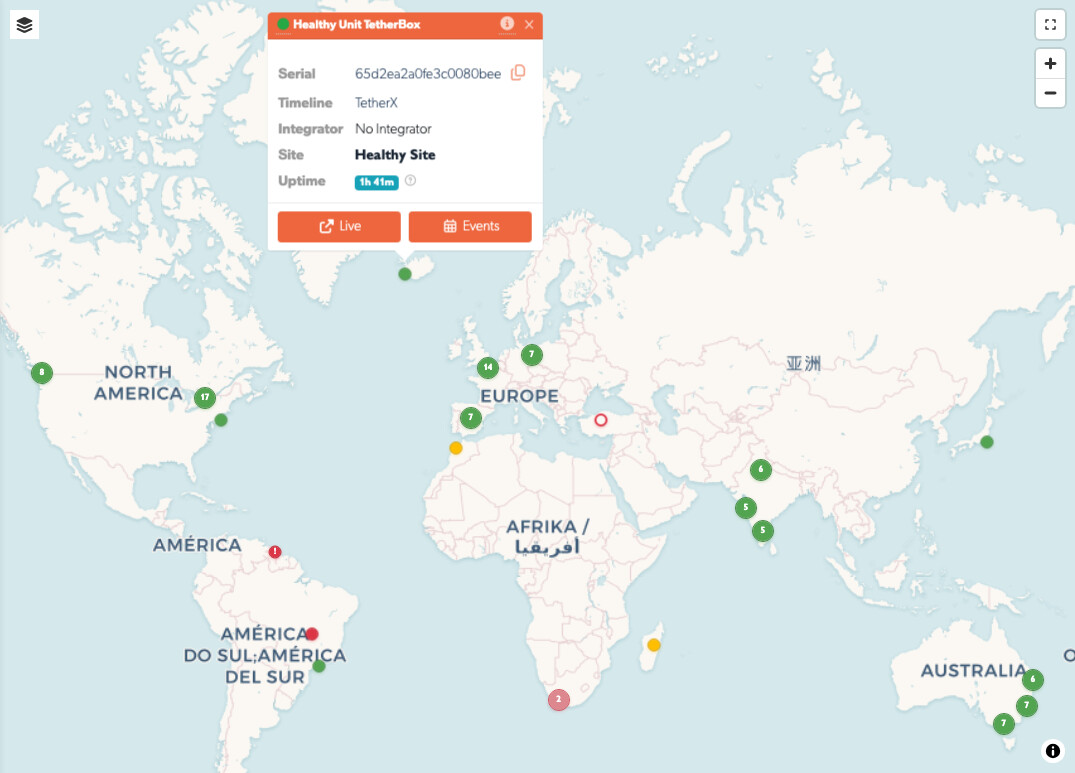
Use the TetherBox Map to locate units geographically and identify units that need attention. Open it from Admin → TetherBoxes → Map, or from the globe icon in the navigation.
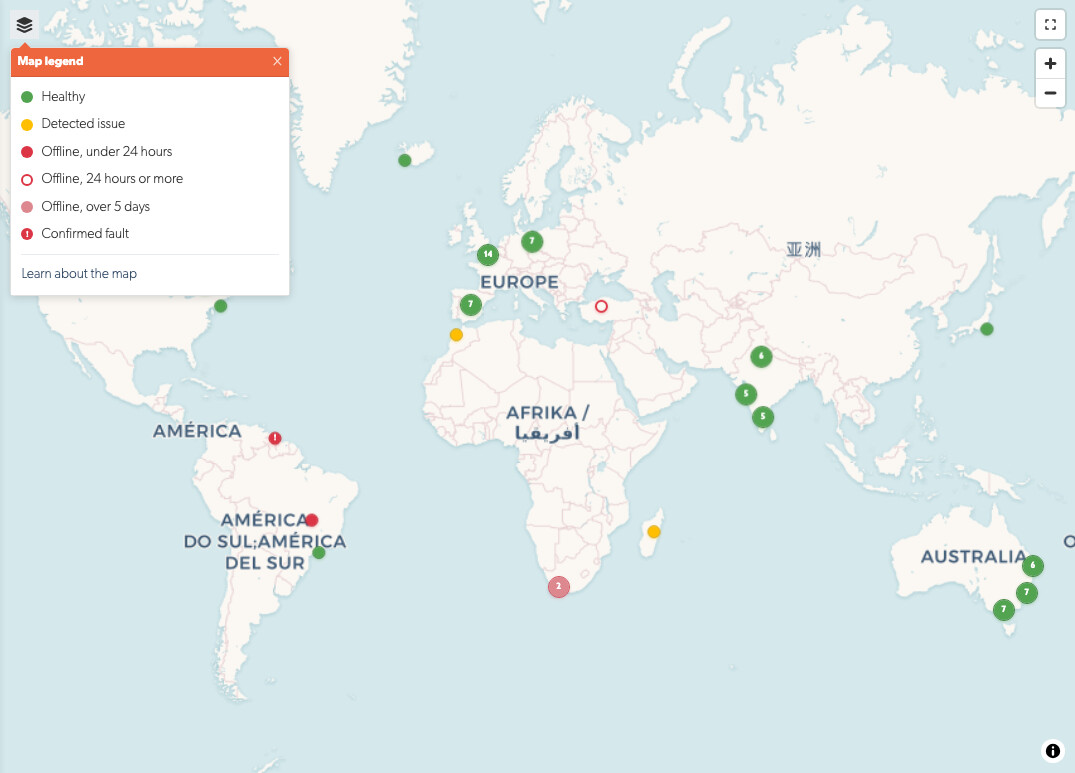
Pin Colours
| Colour | Meaning |
|---|---|
| Green | The TetherBox is online and has no detected issue. |
| Yellow | The TetherBox is online, but TetherX detected an issue such as a camera or filesystem fault. |
| Red | The TetherBox is offline but was seen within the last 24 hours. |
| Hollow red ring | The TetherBox has been offline for at least 24 hours. |
| Faded red | The TetherBox has been offline for more than five days. |
| Red with an exclamation mark | TetherX has confirmed a fault. A confirmed fault stays red even while the unit is online. |
| Blue | Demo TetherBox. |
Clusters take the colour of the most serious TetherBox they contain. Zoom in to see the individual units.
Select the information icon in the map's top-right corner to open this legend while you work.
Find a Unit
Use the sidebar to filter by Timeline, site, company or other available filters. Choose Timeline: All when you manage more than one timeline and need to search across all of them.
Only TetherBoxes and sites you are allowed to access appear on the map.
Open the Status Summary
Select a pin to open its status summary. It shows the TetherBox's online state, name, serial number, timeline, site, recent uptime and cameras. If TetherX has confirmed a fault, the summary includes the fault status and message.
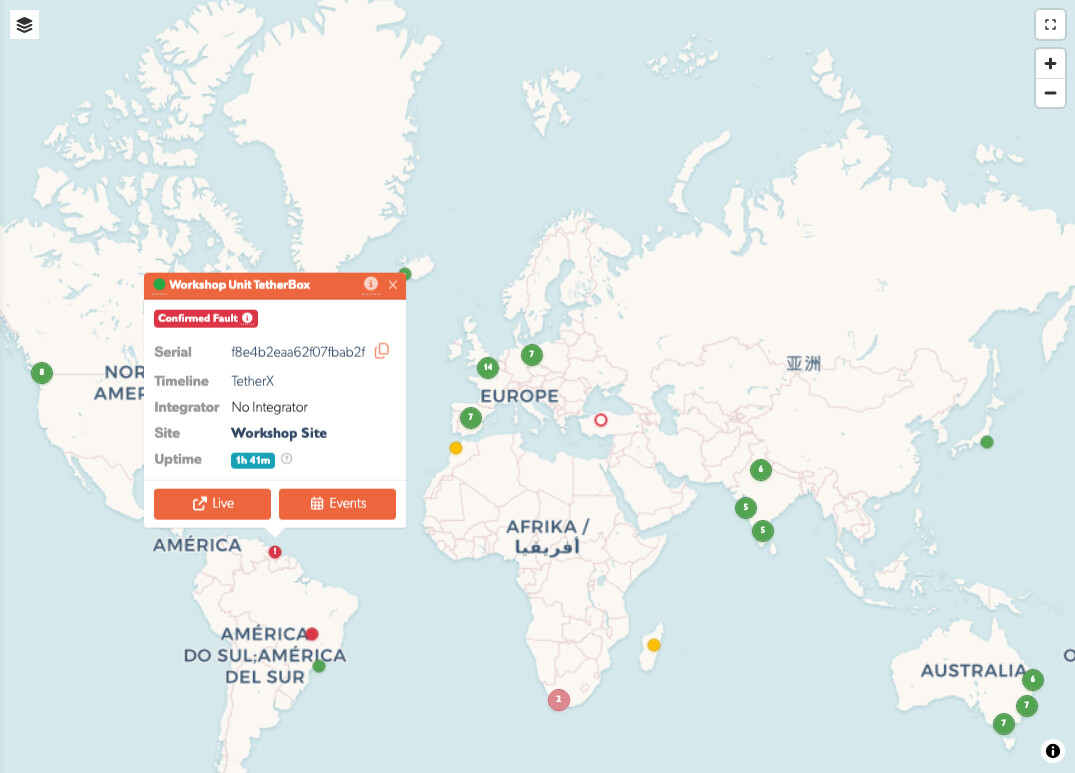
Select TetherBox in the summary to open the full diagnostics page. Select Access Timeline to open the timeline's Live View.
Tip: A yellow pin means TetherX detected an issue, not necessarily that the unit has failed. Open the summary and the TetherBox page to investigate. A red confirmed-fault pin includes the message TetherX recorded for the site.
Related Articles
- Health Dashboard - investigate fleet health by issue type
- TetherBoxes - manage and diagnose individual units
- User Permissions - understand which sites and TetherBoxes an account can access
Referenced in: