

Table of Contents
Getting Started for Integrators
Use this guide to take a customer site from planning to handover. It points you to the detailed guides for each task, so you can return to the right one when the next site needs the same work.
Your First Installation
- Prepare the site - confirm the equipment, credentials and network details before travelling.
- Install the TetherBox - activate it, connect it to the site network and add the customer site.
- Connect the systems - bring cameras, alarm panels, access control and control-room workflows into TetherX as needed.
- Hand over and support - give the customer the right access, notifications and guidance, then support the site remotely.
Before You Start
Join the Partner Program (opens in a new tab) to access trade pricing, product information, the Quote Tool, training and support. Arrange a training session if you want help with your first installation.
Use the Pre-Flight Checklist before every visit. It covers the TetherBox, device credentials, site network and any additional equipment you need.
Tip: Confirm device credentials before travelling. One tested camera and recorder login can prevent a delayed installation.
- TetherBox - where possible, activate and assign it before the visit. This gives it time to download current software on its first boot. Allow 5-30 minutes, depending on the connection speed.
- Device details - collect the addresses, credentials and connection details for cameras, recorders, alarm panels and access-control equipment.
- Network details - confirm how the TetherBox will reach the Internet. See Connecting your TetherBox to the Internet for the requirements.
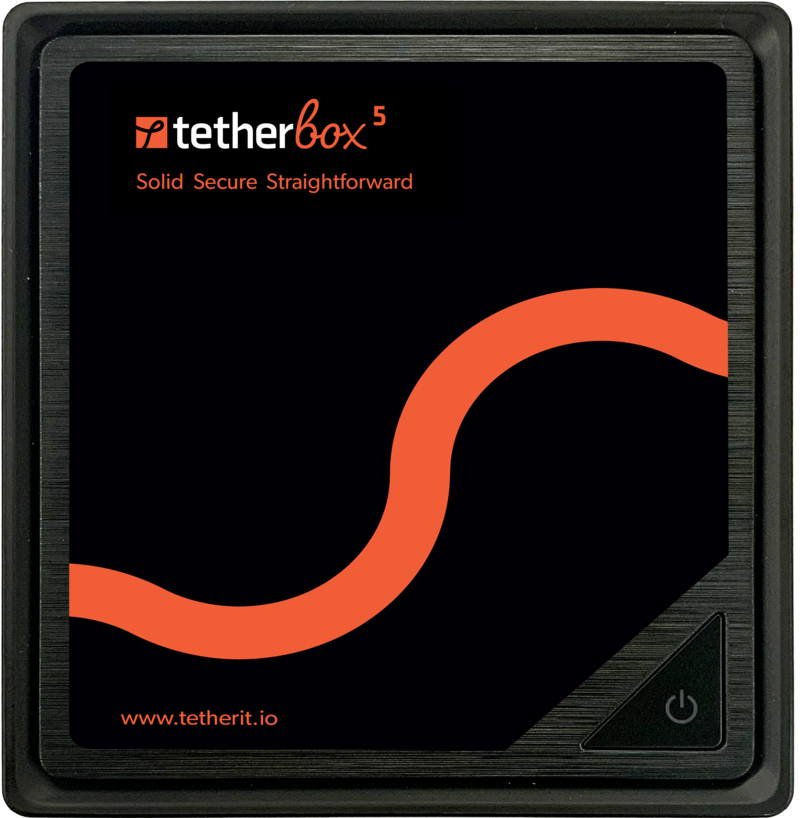
Install the TetherBox
- Activate the TetherBox and assign it to the customer timeline and site.
- Connect it to the local network and Internet connection.
- Add or confirm the site's cameras and other equipment.
TetherX gives authorised users one place to work across their permitted sites. The TetherBox connects out to the platform, so managed devices do not need inbound port forwarding. For the deployment options and network design, see Where to Run TetherBox Software.
Tip: A TetherBox needs outbound Internet access for activation and initial setup. Managed devices do not need inbound port forwarding.
Connect the Site Systems
Choose the guide that matches the equipment at the site:
| System | Start here |
|---|---|
| Cameras and recorders | Cameras and How to Enable ONVIF |
| Alarm panels | Alarm Panel Integration |
| Access control | Paxton Net2 Integration |
| Control room | Control Room Software Integration |
| Other compatible equipment | Supported Devices |
For a customer with mixed equipment, TetherX keeps video, alarms, access events and other site activity in the same event workflow. Use the API or contact us when the required integration is not listed.
Hand Over the Site
Before leaving the site:
- Create customer accounts and assign the right User Permissions.
- Set up the customer’s notification preferences.
- Show the customer how to use the web platform and mobile apps.
- If the site is professionally monitored, introduce the operator workflow.
Support the Site
Use Tunnelling to Network Devices to reach on-site IP equipment remotely. For faults, start with TetherBox Troubleshooting or Camera Troubleshooting. Contact support when you need help, and see the SLA for response times and support channels.
Integrator Resources
Installation
- Pre-Flight Checklist - What to prepare before going to site
- Troubleshooting Kit - Equipment for on-site diagnostics
- Installing OS - Manual OS installation for custom builds
- TetherBox Deployment Guide - Mass deployment with
tetherx-provision(approved integrators only)
Technical
- Tunnelling to Network Devices - Remote access to on-site equipment
- Alarm Panel Integration - Choose alarm signal receiving, Texecom serial control, or a scoped deeper integration
Sales & Marketing
- Partner Program (opens in a new tab) - Partner resources and branding
- Marketing PDFs - Customer-facing materials
Support
- TetherBox Troubleshooting - Diagnostic guides
- Camera Troubleshooting - Camera connectivity issues
- Support - Contact support or request training
- Service Level Agreement - Response times and support channels
Referenced in: